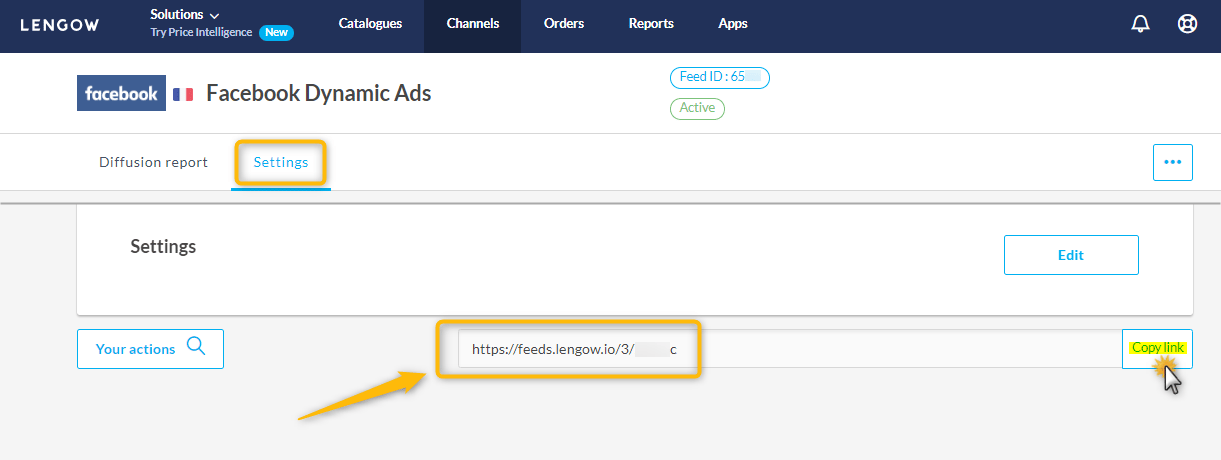

1. Create the Lemrock structure
In Lengow, go to App > My Custom Channel and click Add a new channel. Presentation: name the structureLemrock and pick your catalog’s country.
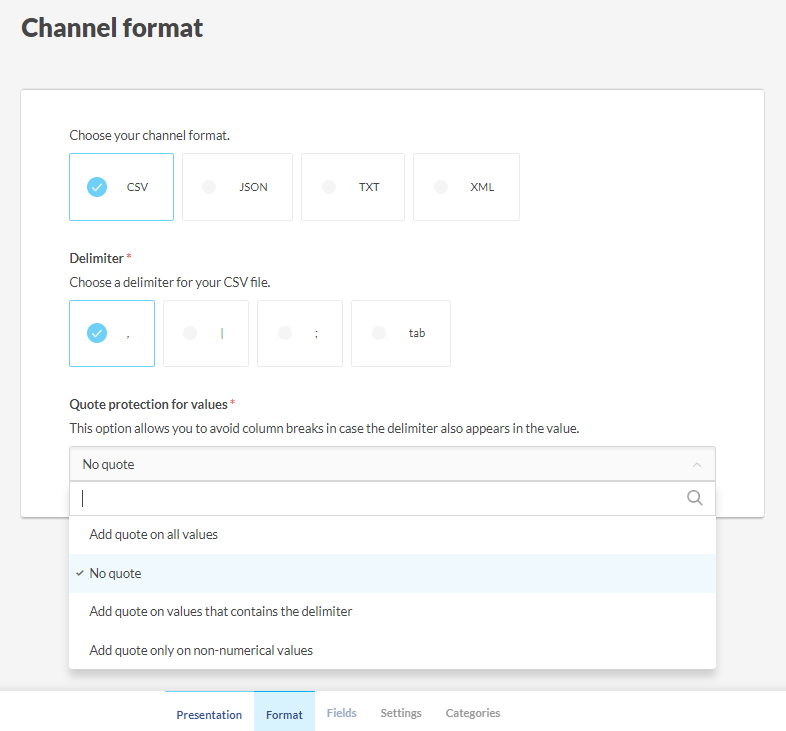
Format: choose CSV and the , delimiter. Under Quote protection for values, choose Add quote on values that contains the delimiter.
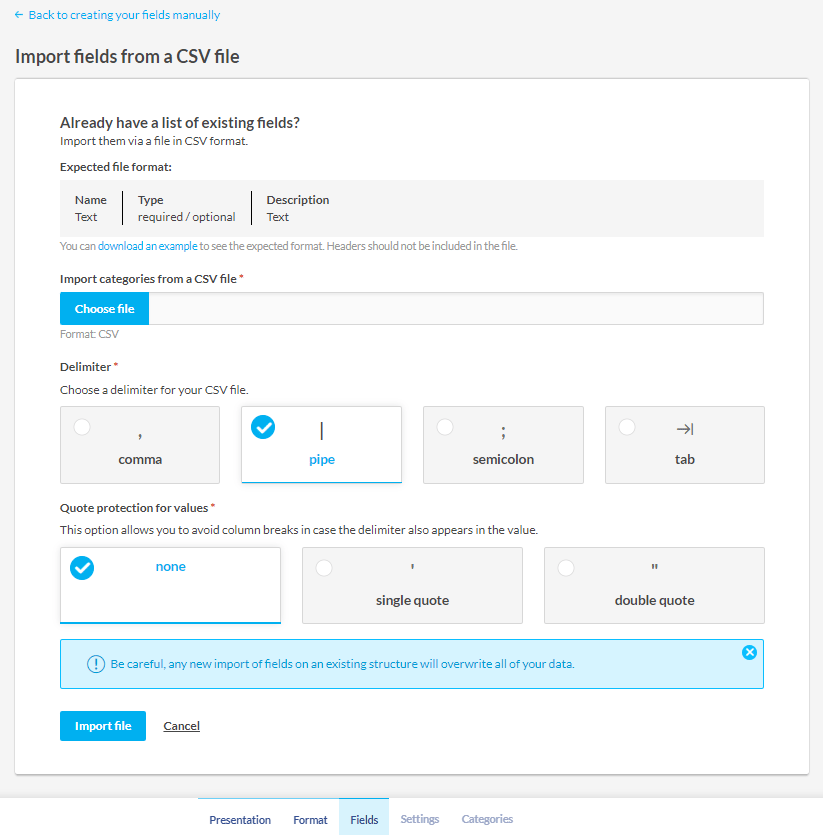
lemrock-fields.csv. Choose the comma delimiter and none for quotes.
lemrock-fields.csv
2. Create the feed from your catalog
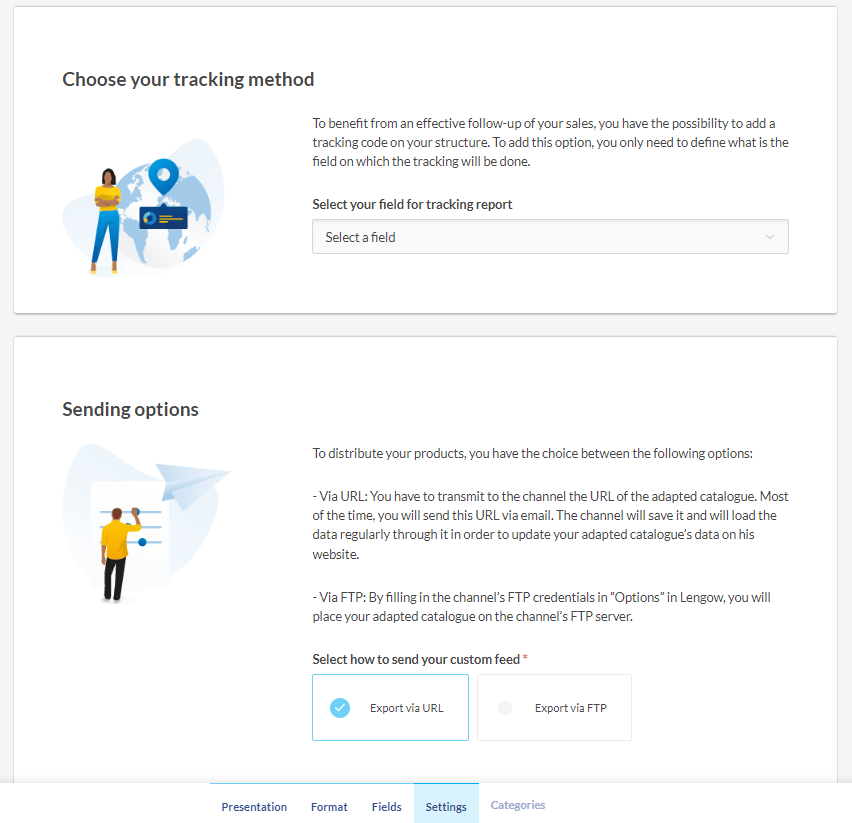
Click Use your new channel and select the catalog that holds your products. In the feed’s Settings, under Which products do you wish to send?, keep All my products, or pick a segment to send only part of your catalog. Segments are created in Catalogues > your catalog > Segments.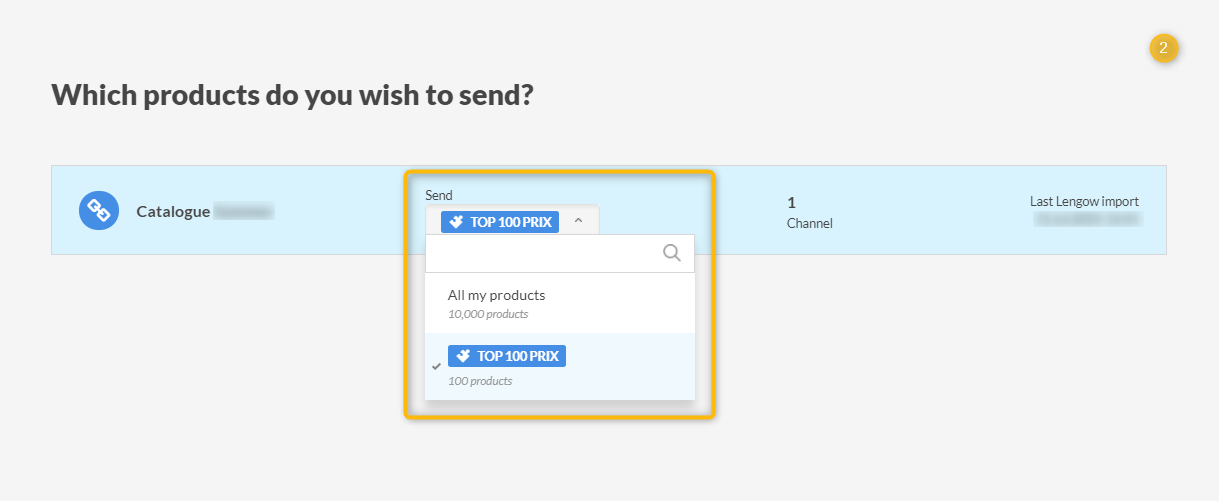
3. Map your fields
In Map your product attributes, type$ in each Lemrock field and pick the matching field from your catalog.
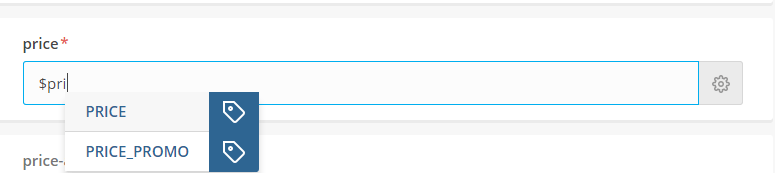
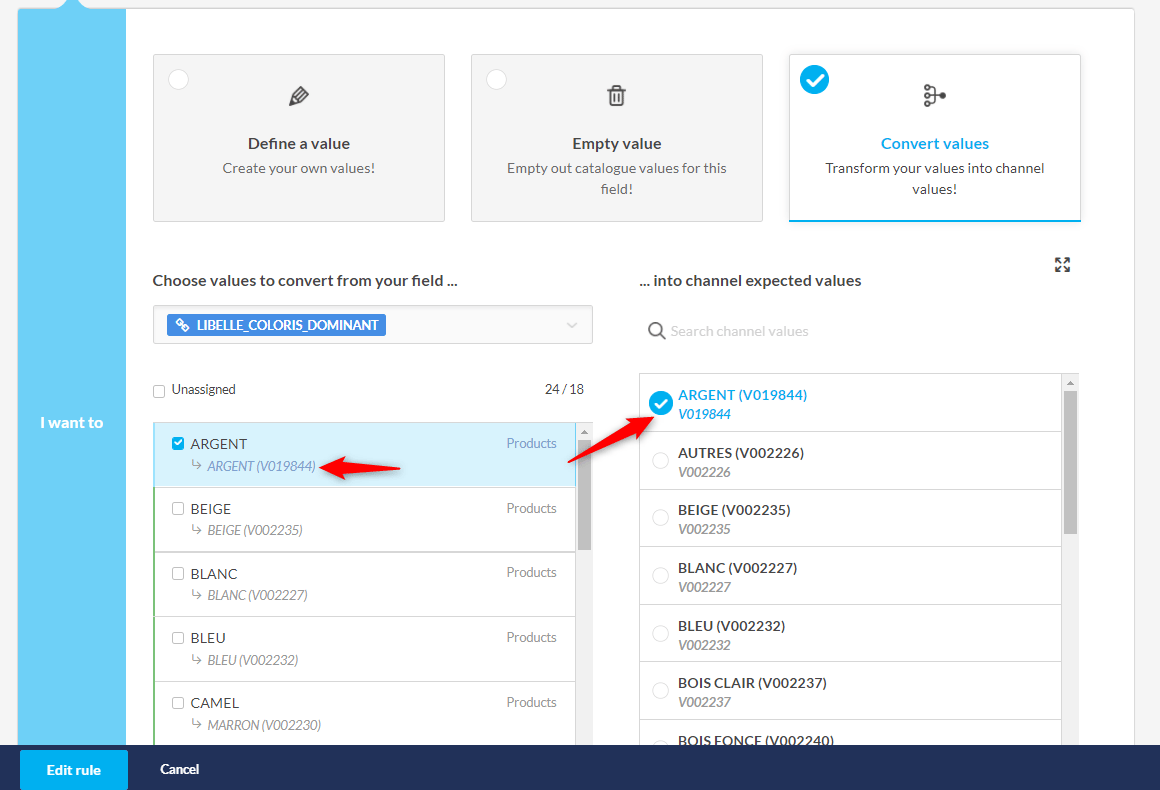
priceandsale_price: Lemrock expects799.00 EUR. If your field only holds the number, write$PRICE EUR, replacingPRICEwith your field name.availability: Lemrock expectsin_stock,out_of_stock,preorderorbackorder. If your values differ, click the cog to the right of the field to create a Convert values rule, and link each of your values to one of the four. If you only have a stock quantity, create two Define a value rules instead:in_stockwhen the quantity is above 0,out_of_stockotherwise.item_group_id: map the parent product ID. If your catalog has parent rows that can’t be bought, remove them in Exclusions.id: use the same ID as your conversion tracking.
4. Check and launch
Open Preview and check a few products:- the 8 required fields are filled;
- prices look like
799.00 EUR; availabilityholds one of the four expected values;- product and image links start with
https://.
5. Send the URL to Lemrock
At the bottom of the feed’s Settings, click Copy link. It’s also under More actions > Copy this feed link on the feed’s page.